| Support Category: VILT | Inquiry |
| Specialist Notes: |
IMPORTANT! The instructions within this standard response are to be provided to users when indicated in other articles. Always ensure to confirm registration within users' transcripts. Instructors vary per session; it is important to provide the information of the instructor that is listed for the user's assigned session. If a user is having difficulty locating or unable to access to the instructor's email with this response, you may locate and provide the instructor's information. |
|
| Standard Response: |
To locate the instructor’s email address, kindly follow these instructions:
1. Navigate to the session’s details page. You may search using the name of the course or click the course title within your transcript.
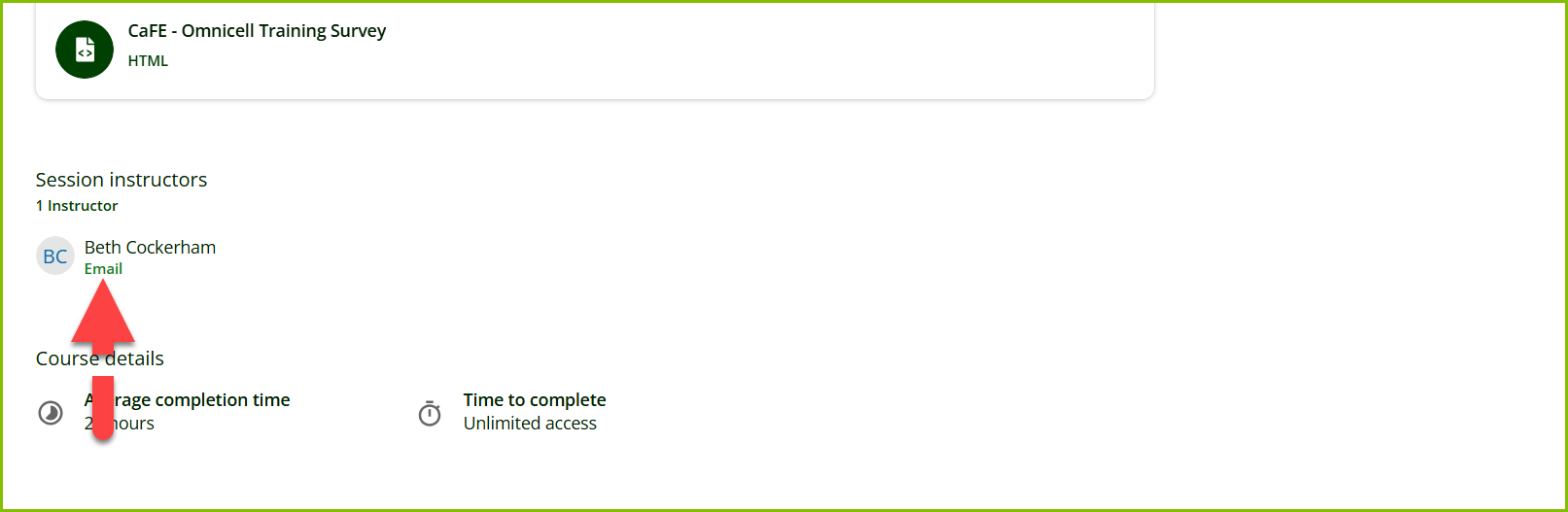
2. Then, scroll down to ‘Session Instructors’ and select the ‘Email’ link; see image below.
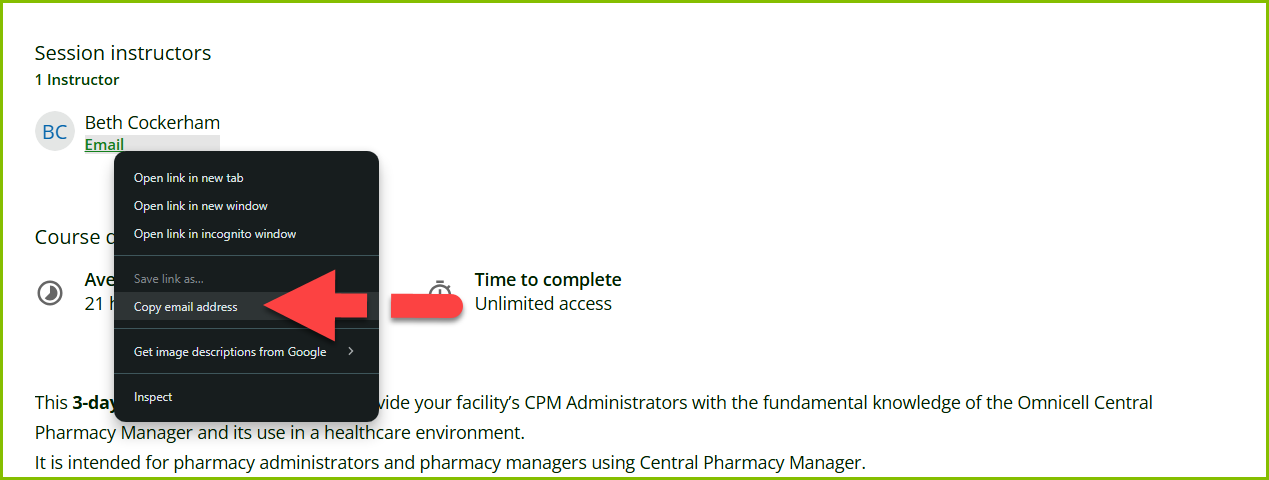
2b. Alternatively, right-click the ‘Email’ link (using your mouse). This should provide you with the option to ‘Copy email address’.
If you’re having any trouble with retrieving the email address, please let us know. We’d be happy to assist further.
