| Support Category: VILT | Inquiry |
| Specialist Notes: |
IMPORTANT! A session's link to join Zoom calls is activated 15 minutes before the session starts, they will not be able to access the course sooner. |
WHAT SHOULD YOU KNOW? If you receive any customers reporting a password or passcode is required to access their Zoom link, please report this to the Team Lead. Virtual sessions should not require a passcode or password and will need to be reported to the administrators immediately! |
HOW SHOULD WE ASSIST? If the user has trouble locating the instructor’s email, you can use these instructions to retrieve and provide it to the user. 1. Locate the instructor and navigate to the training registration page. 2. Verify and locate the VILT’s session. 3. Next to the session, click the arrow next to the ‘ENROLL’ button. 4. Scroll down to ‘Session Instructors’, it will list the name of the instructor. 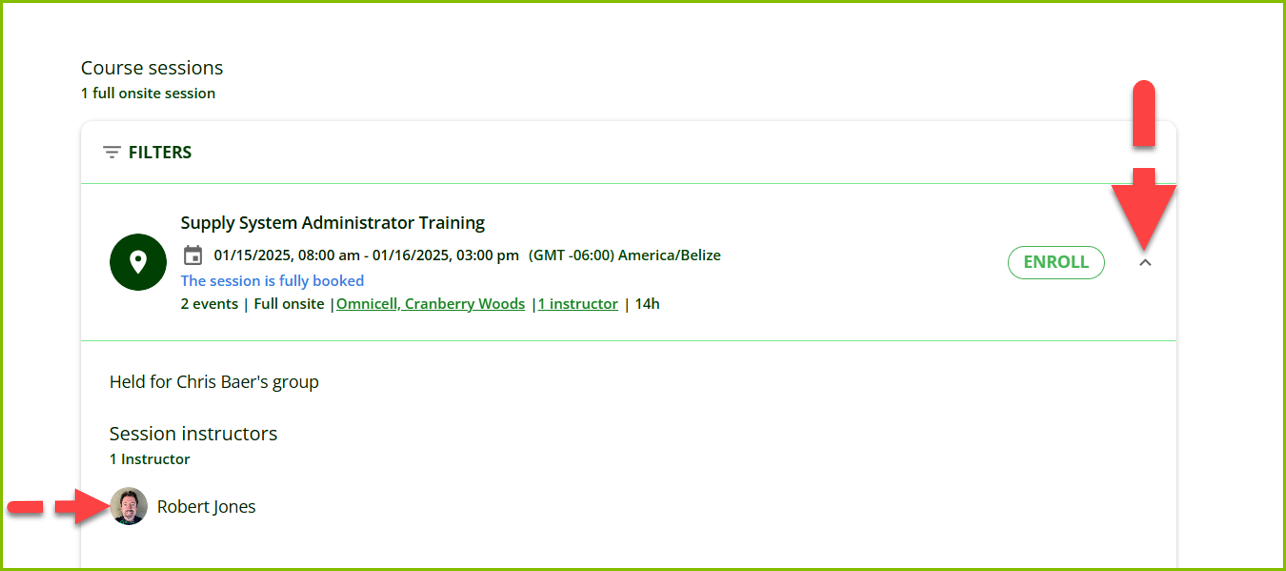 5. To locate the instructor's email, go to CaFE - classes offered list 2023 04 06 list and provide the email address to the user. |
| Standard Response: |
We apologize for the difficulty you're having while trying to join your session. Since this is an urgent matter where your training is about to start or has already started, you will need to reach out to the training instructor and copy train@omnicell.com in your email. Here are the instructions to retrieve the instructor’s email address:
1. Kindly navigate to the session’s detail page. You can search using the name of the course or click the course title within your transcript.
2. Then, scroll down to ‘Session Instructors’ and select the ‘Email’ link [see image below]. 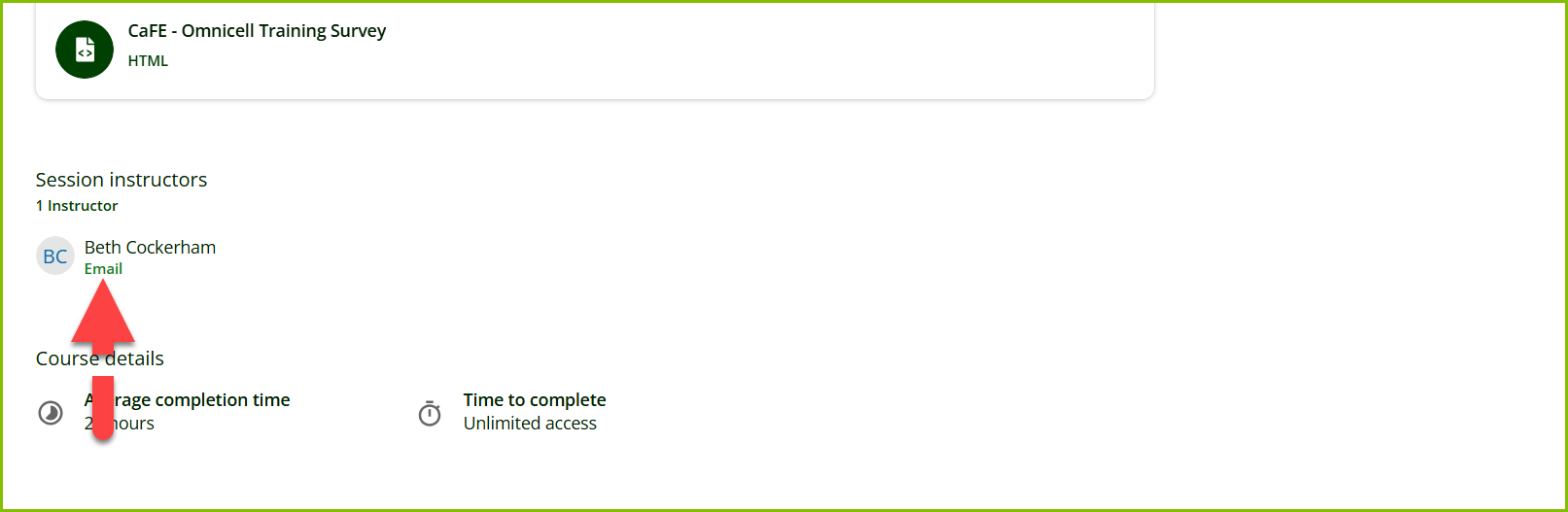
2b. Alternatively, you can use your mouse’s right-click when selecting the ‘Email’. This should provide you with the option to ‘Copy email address’.
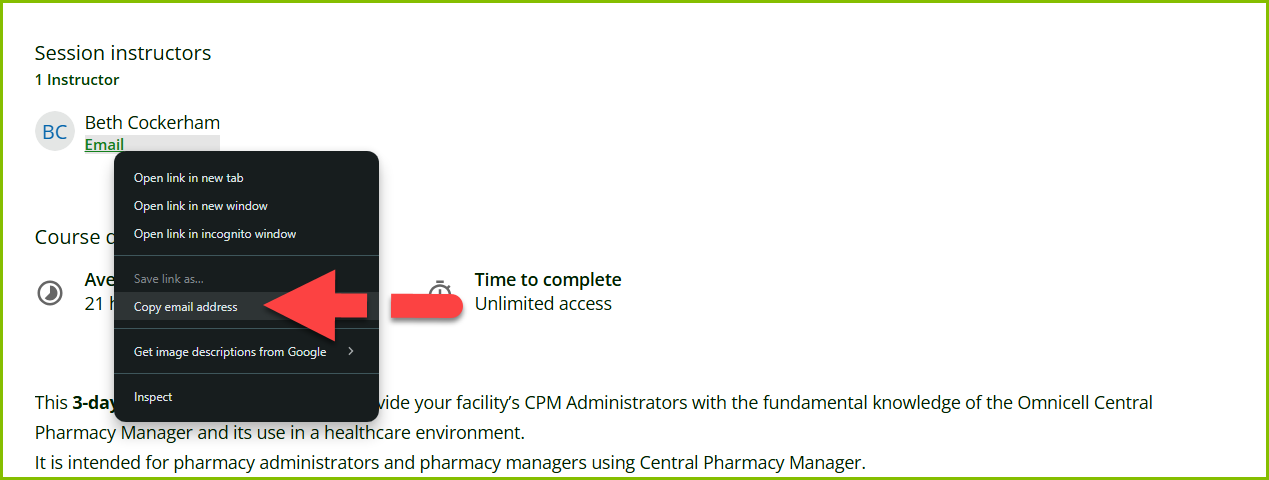
If you’re having any trouble with retrieving the email address, please let us know. We’d be happy to assist further.