| Support Category: ILT | Reschedule, VILT | Reschedule (select applicable) |
| Specialist Notes: |
Sessions are containers that group multiple events, which are specific occurrences with set dates and times. Sessions' start and end dates are based on the earliest and latest events.
These instructions will assist a user who wishes to reschedule a session for an in-person and virtual trainings, all events included.
| Standard Response: |
To reschedule a session, kindly follow the steps below:
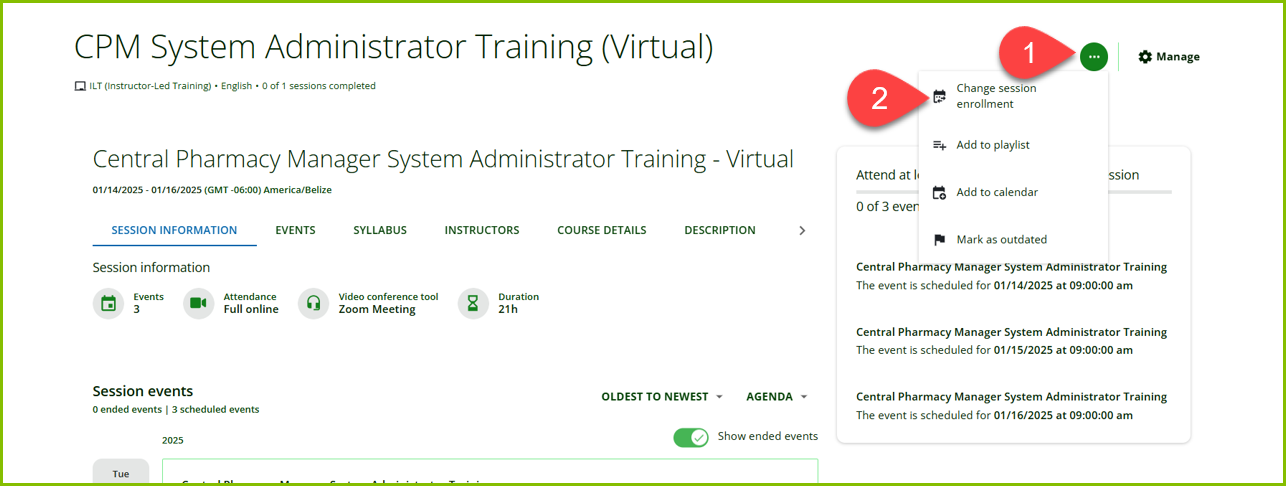
1. From the training session page, kindly select the ellipsis button (…) on the upper right side.
2. Select "Change session enrollment" from the drop-down menu.
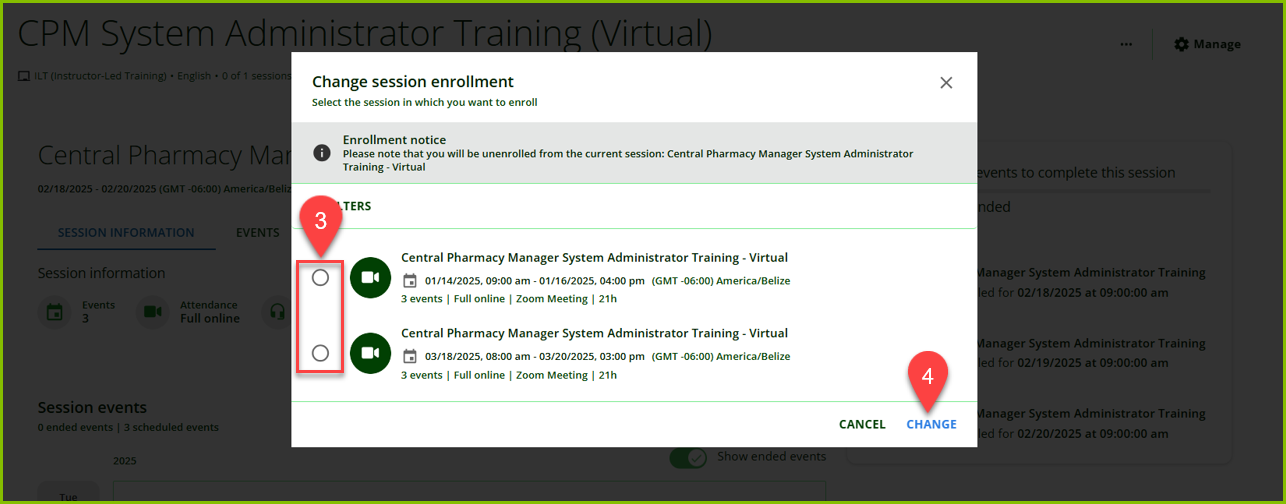
3. Click the radio button next to the session you wish to take to select it.
4. Click "CHANGE" in the bottom right corner to save your selection.