| Support Category: ILT | Reschedule, VILT | Reschedule (select applicable) |
| Specialist Notes: |
IMPORTANT! The following instructions is to help a user who wishes to reschedule an ILT/VILT. |
| Standard Response: |
To reschedule a session, kindly follow the steps below:
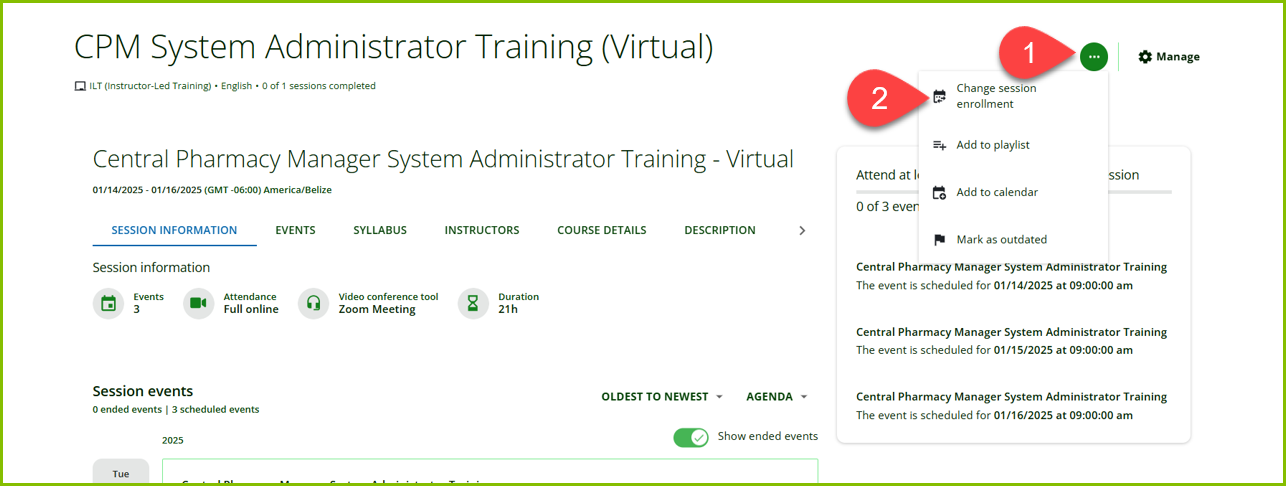
1. From the training session page, kindly select the ‘More options’ (…) button, in your upper right.
2. Then, select ‘Change session enrollment’ from the drop-down menu.
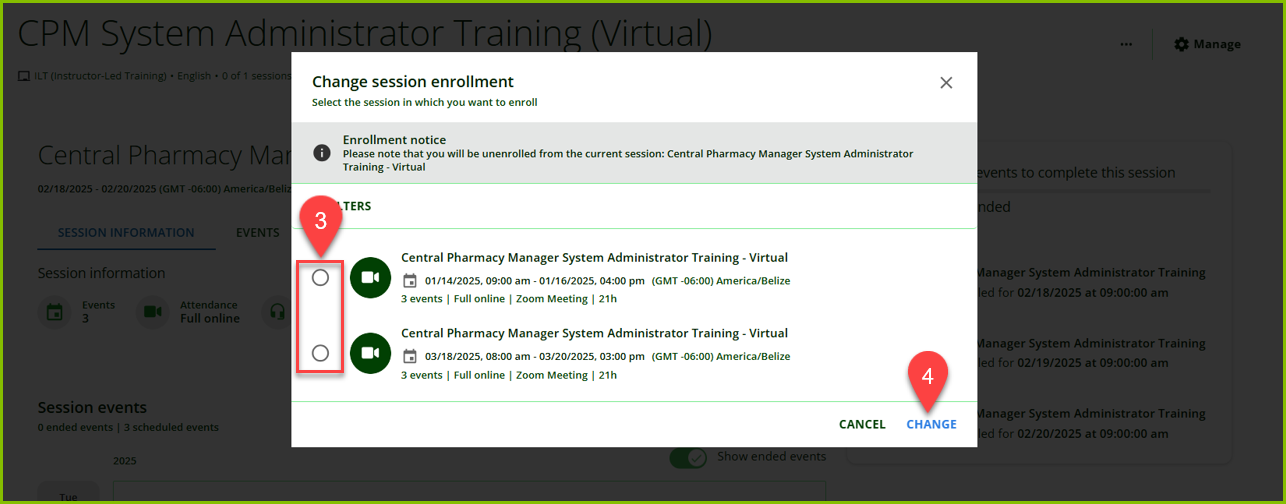
3. Click the radio button next to the session you wish to take to select it.
4. Click ‘CHANGE’ in the bottom right corner to save.