| Support Category: Course Information Inquiry | Copy of Course |
| Specialist Notes: |
Omnicell Institute moved away from having course shells that are specifically for download; eLearning versions with “for Download” in the title. While some “for Download” courses may still be available, this is only due to the transition being incomplete and specifically for the administrators to use.
KEY POINT
Customers who need downloadable files should be directed to the regular course for viewing and download. Do not reference “for Download” courses.
ARE DOWNLOADABLE FILES AVAILABLE?
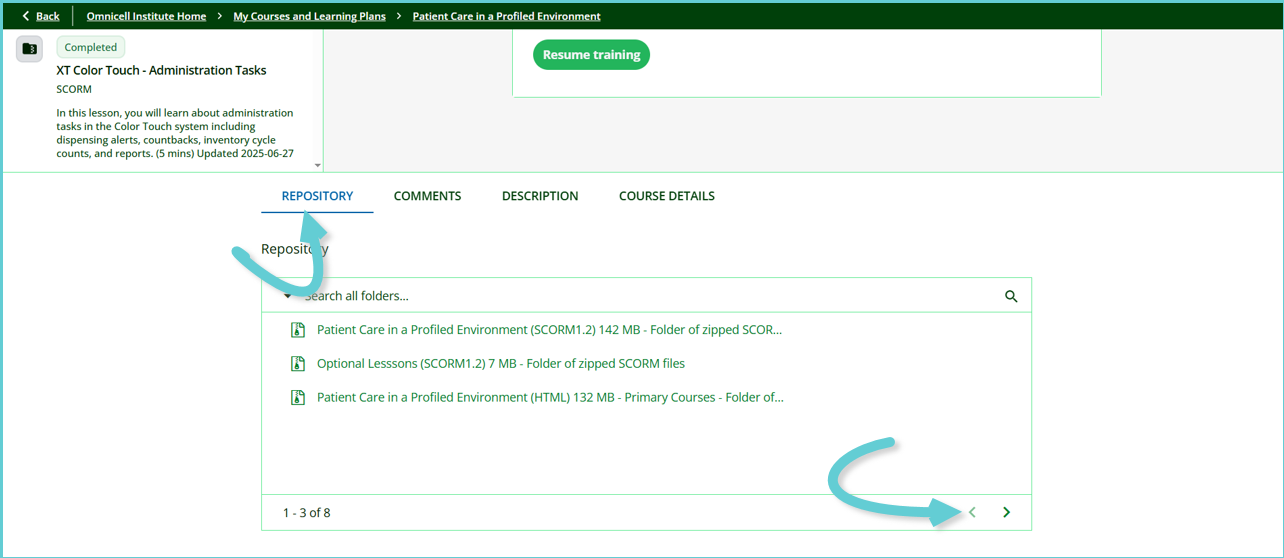
- If an eLearning has a downable file associated with it, it will be found in the course’s Repository, and the course description states that.
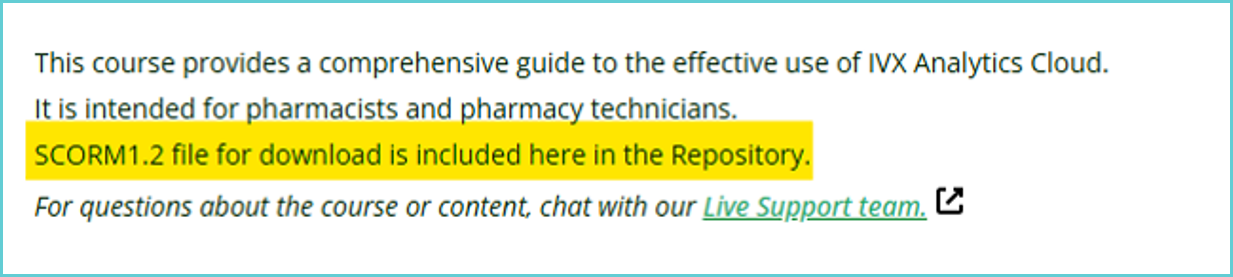
- If it’s not available, the course description states that.

- If you come across any eLearning that is missing whether it’s available or not within the course’s description, please create a ticket so the administrators can advise.
INTERNAL NOTE! Please do not provide this information to end-users; this is for internal use only!
On myOmnicell, the term “for Download” displays the viewable courses with the description that shows the reference to download from the repository, as it reads the information from the course description in Omnicell Institute. Also, on myOmnicell, “for Download” courses will be blocked from search results soon. |
| Standard Response: |
SCORM files for eLearning are stored in the REPOSITORY section, which can be located beneath the course player. If there are additional pages, click > to access all files available (see image below).